
A countdown to midnight needs more than the word “midnight.” It needs the date that begins at that moment. In a 24-hour date-time field, Friday at 00:00 is the start of Friday. The midnight after Friday evening is Saturday at 00:00.
That distinction can move a countdown by a whole day. Use the countdown timer with an explicit target date and time, then check the remaining duration against the event’s published schedule. A timer displays your chosen target; it cannot resolve ambiguous wording in someone else’s deadline.
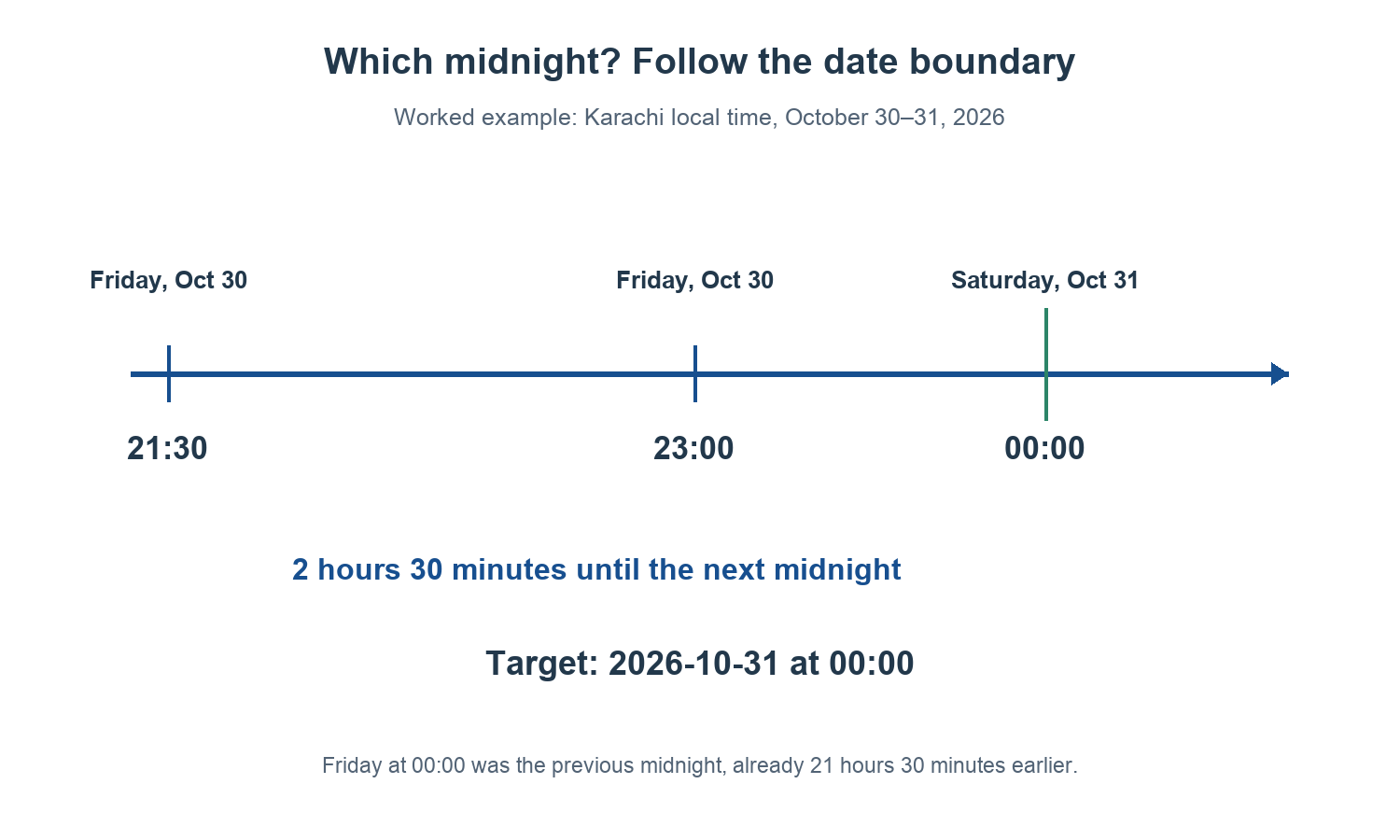
Table of Contents
A countdown to midnight must identify which side of the date boundary
Many 12-hour clocks label midnight “12:00 AM.” The problem is that phrases such as “midnight on Friday” are easy to read in two ways. The NIST time-of-day FAQ discusses that ambiguity and distinguishes the beginning of a date from its end.
For a web date-time field, use the next date at 00:00 when you mean the midnight following an evening. This is clearer than assuming the field accepts 24:00. Many browser controls use hours from 00 through 23 and represent the boundary as 00:00 on the following day.
| Intended moment | Date-time to enter | What it means |
|---|---|---|
| The start of Friday, October 30, 2026 | 2026-10-30 00:00 | Thursday night has just ended |
| Midnight after Friday evening | 2026-10-31 00:00 | Saturday has just begun |
| The start of New Year’s Day 2027 | 2027-01-01 00:00 | The boundary after December 31, 2026 |
When writing your own invitation, specify the full date and time zone. “Saturday, October 31, 2026 at 00:00, Karachi time” is substantially clearer than “Friday midnight.” If a legal, travel or payment deadline is unclear, confirm it with the issuer rather than substituting a guess.
Countdown to midnight: Friday at 9:30 PM
Suppose the clock reads Friday, October 30, 2026 at 21:30 in Karachi, and an event begins at the next midnight. The target is October 31 at 00:00 in the same zone.
21:30 → 22:00 = 30 minutes
22:00 → 24:00 boundary = 2 hours
Total remaining = 2 hours 30 minutes
Choosing October 30 at 00:00 instead points to a time 21 hours 30 minutes in the past. It does not point to the upcoming midnight simply because October 30 is the current date.
This manual estimate checks a countdown to midnight before you start it. If you expect about two and a half hours but the timer shows almost a day, stop and inspect the date. Do not try to correct a wrong date by adding or subtracting an arbitrary hour.
Verify the countdown to midnight target
- Translate the event wording. Write the moment as a full date plus 00:00 or another explicit time.
- Establish the event’s zone. A local browser input has no named-zone selector. Convert a remote event to the device’s local date and time first.
- Enter the target. Add a useful event name and select the date and time in the countdown tool.
- Check the displayed duration. Compare it with a short manual estimate, especially when the target is near midnight.
- Start the countdown. Keep the page available and verify its running state.
The calculator’s target control uses a local date-time value. For a named-city conversion, use the time zone converter first and carry over the converted date as well as the time. An event at 00:00 in another country may fall on the previous calendar date where you are.
For an important appointment, also create a notification in a calendar or alarm application you trust. A browser countdown is not a guarantee that an alert will be delivered after a tab is closed, a device sleeps or the browser restricts background activity. The recurring deadline guide covers the separate reminder task.
Midnight and elapsed hours are different questions
Two consecutive local midnights are normally 24 elapsed hours apart, but a time-zone offset change can make the interval shorter or longer. A date label does not promise a fixed number of seconds. Political changes to time-zone rules can also affect future events, so use current zone information for the actual date.
If an event happens around a clock change, verify that the target time exists and is unambiguous in the chosen zone. A clock moving forward can skip local times; a clock moving back can repeat them. Midnight itself is affected in some places and historical periods, even though many familiar daylight-saving transitions occur at another hour.
Do not assume that adding 24 hours always means “same local time tomorrow.” Decide whether the event is defined by a local calendar time or by a fixed elapsed duration. That distinction is especially important for international launches and travel connections.
Small errors that move the countdown
- Using 12:00 PM. On a conventional 12-hour display this is noon, not midnight.
- Using 23:59 as midnight. It is one minute before the boundary. That may be a deliberate deadline, but it is not the same instant.
- Copying only the converted time. A zone conversion can change the date too.
- Changing the device zone after setup. Recheck the intended target if the device’s local time settings change.
- Trusting a stale screenshot. A countdown’s remaining duration is meaningful only at the moment it was captured.
A countdown to midnight across two cities
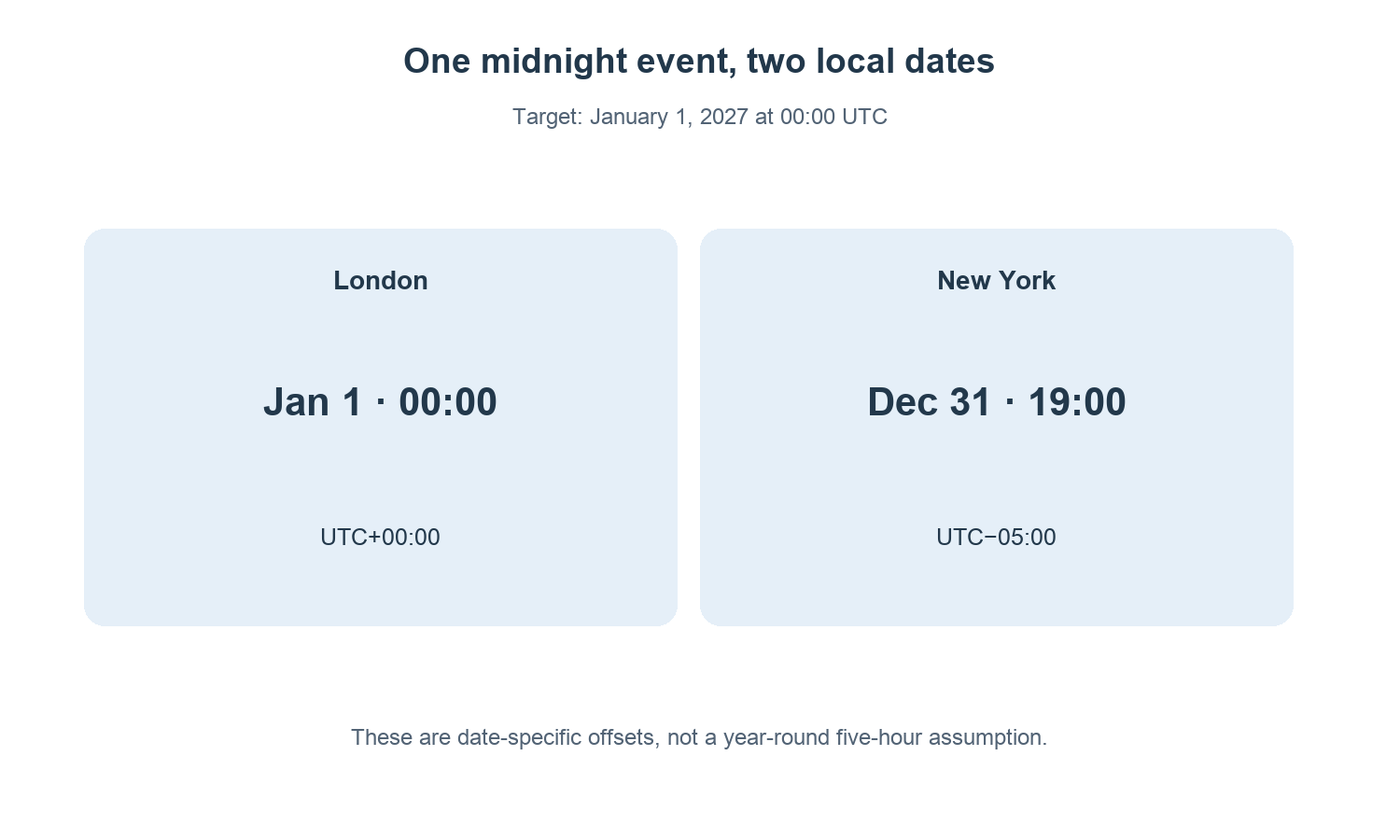
Suppose an event is explicitly scheduled for January 1, 2027 at 00:00 in London. Under the published zone rules for this date, London is at UTC+0 and New York at UTC−5. The same instant is December 31, 2026 at 19:00 in New York.
The event’s London date is January 1, but the New York attendee must use December 31 at 19:00 in a New York-local date-time field. Copying “January 1 at 19:00” would move the target one whole day late.
| Location | Local target | UTC instant |
|---|---|---|
| London | January 1, 2027 at 00:00 | January 1 at 00:00 UTC |
| New York | December 31, 2026 at 19:00 | January 1 at 00:00 UTC |
This is a dated conversion, not a rule that London and New York are always five hours apart. Recheck any other date with current time-zone data. Write the organizer’s original target beside your converted local target so a later change can be traced back to the event rather than guessed from a countdown display.
A target time and a duration are different inputs
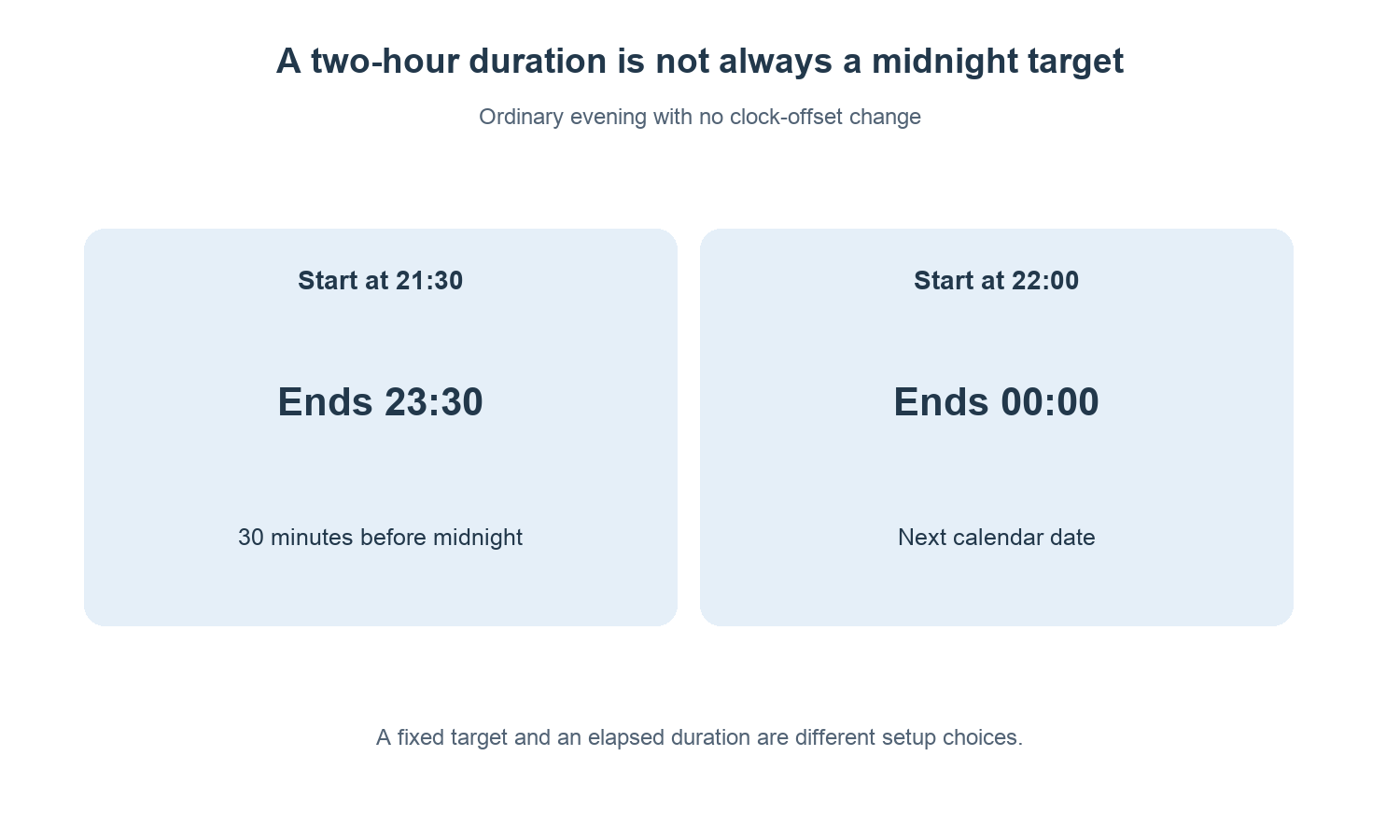
“Start an event at midnight” identifies a calendar target. “Wait two hours” identifies a duration from a starting instant. They coincide only when the starting instant is exactly two hours before the intended midnight.
For example, a two-hour timer started at 21:30 on an ordinary evening ends at 23:30, half an hour before midnight. Starting a two-hour duration at 22:00 reaches midnight. If you need a specific event boundary, enter that boundary rather than substituting a convenient duration preset.
For a countdown to midnight, a duration preset is still useful as a quick setup tool, but inspect the resulting target date and time before starting. The current clock reading is part of that calculation; a preset used later will produce a different endpoint.
Share a reproducible countdown to midnight
A countdown to midnight handoff includes the event name, full target date, clock time, named city zone and the original schedule source. “Launch at 00:00 Europe/London on January 1, 2027” contains enough information for another person to calculate their own local target.
A screenshot showing “2 hours remaining” does not. It lacks the capture time and may omit the target zone. If you share a screenshot, include the explicit event target in the message as well.
For an event that moves, update the target deliberately and check the displayed date again. Changing only the event-name text does not change the actual countdown. Keep a record of the revised schedule if multiple people are coordinating around it.
Check the final minute without changing the deadline
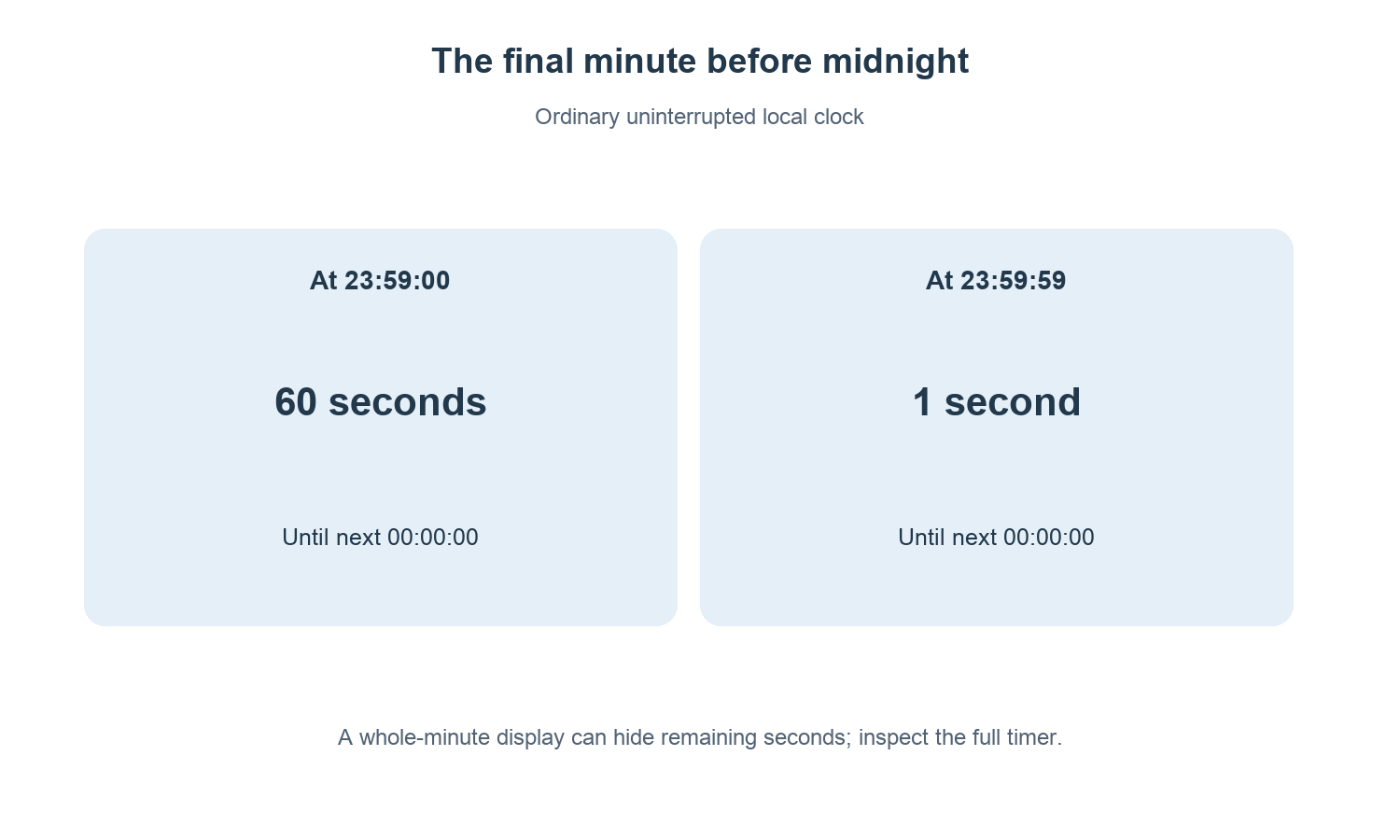
At 23:59:00, exactly one minute remains until 00:00:00 on an ordinary uninterrupted clock. At 23:59:59, one second remains. A page that displays whole minutes may round or truncate its display, so “0 minutes” alone does not necessarily mean the target instant has passed.
Use the timer’s complete displayed units and running state. For a consequential submission, payment or travel cutoff, rely on the issuer’s confirmed deadline and allow practical completion time; a local browser display does not establish when a remote service records an action.
Common questions
Is midnight the start or end of a day?
It is the boundary. In a date-time written as 00:00, it is the start of the named date. The end of the preceding day is the same instant.
Can I replace a deadline of 11:59 PM with midnight?
No. Those moments differ by a minute, and a deadline can be defined to the second. Follow the issuer’s exact wording and confirm any ambiguity.
Why does a midnight countdown show zero already?
One common cause is selecting today’s 00:00 after that moment has passed. Check whether you intended tomorrow’s date at 00:00, then check the device time and zone.
Open the countdown timer with the full target written beside you: date, time and the event’s time zone.