 Skip to content
A service charge is an amount the business requires as part of the bill. A tip is an additional amount the customer chooses to pay. The receipt may use words such as “service,” “gratuity” or “hospitality fee,” so read the actual terms before deciding what to add.
The Tip Calculator can help you separate the bill, a stated service charge and any voluntary tip you choose. It cannot tell you how an individual restaurant distributes its service charge to staff.
The distinction that matters on a receipt
In its U.S. guidance, the IRS distinguishes voluntary customer-chosen tips from compulsory charges, including some automatic gratuities. The name printed on the line is not the only factor.
For a diner, the useful first question is whether the amount is already required and included in the total. The second is whether the payment screen is asking for an additional amount. Those two questions prevent a mistaken second addition before you get into questions about customary tipping.
A bill with an 18% service charge
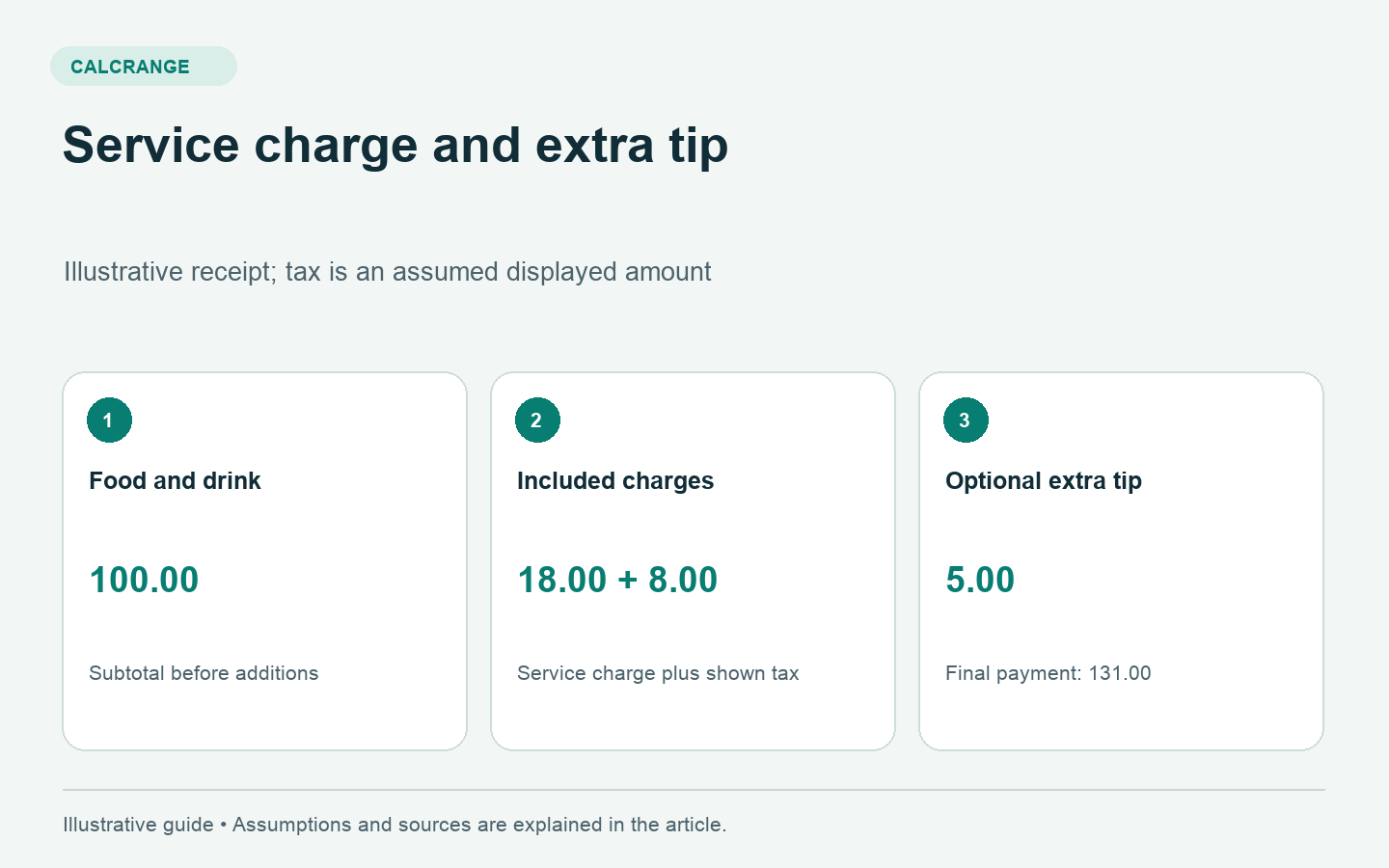
Suppose the food and drink subtotal is $100, the receipt includes an $18 service charge, and its displayed tax is $8. The bill before any extra voluntary tip is:
$100 + $18 + $8 = $126.
The $8 tax is simply an assumed receipt amount for this example. Tax treatment varies, so the example does not imply that every location taxes the same items or treats service charges in the same way.
If you voluntarily choose another $5, the payment becomes $131. The service charge remains $18 and the additional tip is $5. Keeping those lines separate makes it clear that the $5 is on top of the amount already included.
Why a payment-screen percentage can surprise you
Imagine the same $126 bill reaches a screen with a 20% option. If the screen applies 20% to the full $126, it adds $25.20, making the payment $151.20. If it uses the $100 subtotal, it adds $20, making the payment $146.
Those are different percentage bases. Neither number tells you whether the screen has accounted for the existing service charge in a way you intended. Read the displayed dollar amount and final total rather than relying only on the button’s percentage label.
How to calculate a chosen combined amount
You might decide, purely as a personal budgeting choice, that the combined service charge and extra tip should total $25 on a $100 subtotal. If $18 is already included, the additional amount needed to reach that chosen combined total is $25 − $18 = $7.
This is arithmetic, not a universal etiquette rule. An establishment’s distribution policy may differ, and the service charge may not all go to the person serving you. Ask the business if that information affects your decision.
A short receipt-checking process
- Find the food and drink subtotal.
- Identify each mandatory fee or service charge already listed.
- Confirm the tax and current amount due.
- Check whether a tip field adds a new amount to that total.
- Review the final dollar amount before paying.
If you are splitting the bill equally, divide the agreed final payment after those decisions. In the $131 example, four people would contribute $32.75 each. If guests ordered very different amounts, a proportional split may be more appropriate to the group’s preference.
Questions a calculator cannot answer
A calculator does not establish whether a fee was properly disclosed, determine its legal status in every jurisdiction or verify what employees receive. Ask the restaurant about an unclear line before paying and retain the receipt if you need to follow up.
Nor does the word “included” automatically explain whether the establishment welcomes or expects an additional tip. Read its policy and make your own informed choice. To verify the resulting numbers, use the Tip Calculator with the existing charge and the voluntary addition entered separately.