
Find the calendar-day difference between two dates, count both endpoint dates, or add and subtract days, weeks, months and years. This tool includes weekends and holidays; it does not calculate business days.
Date Difference Calculator
Find the exact time between two dates in years, months and days — plus total days, weeks and hours — or add and subtract days, weeks, months and years from any date.
Totals
Details
Note: Calendar months vary in length, so the years/months/days breakdown and a plain “total days” figure are both shown. Dates use your local calendar; results exclude time-of-day.


Find the calendar days between two dates
- Open the Date Difference tab.
- Choose a start date and end date.
- Leave Include both dates in the calendar-day count off for the elapsed date difference, or enable it to count both endpoint dates.
- Calculate and check the displayed dates and counting convention before using the result.
This is a calendar-date calculator. Weekends and public holidays stay in the count. It has no country holiday selector or business-days-only filter. If the end date comes first, the tool swaps the dates and reports a positive gap rather than a signed negative result.
Elapsed days or both dates included?
Elapsed date difference = later date − earlier date.
Both endpoint dates included = elapsed difference + 1.
| Date range | Elapsed difference | Both dates included |
|---|---|---|
| January 1–January 1, 2026 | 0 days | 1 date |
| January 1–January 2, 2026 | 1 day | 2 dates |
| August 10–August 14, 2026 | 4 days | 5 dates |
An event open from August 10 through August 14 covers five dates. A stay checking in August 10 and out August 14 spans four nights. Both answers can be correct because they count different things. See inclusive versus exclusive date counting for more boundary examples.
Add or subtract days, weeks, months or years
Open Add / Subtract, choose a starting date, select the direction and enter the number and unit. One week means seven calendar days. A month or year follows calendar boundaries, so it is not interchangeable with a fixed number of days.
When the target month does not contain the original day number, the calculator uses its last valid day. For example, January 31 plus one month gives February 28 in 2026, but February 29 in the leap year 2028. Applying another month to the already-clamped February result can differ from adding two months directly to January 31; use the operation that matches your question.
The year/month/day headline describes the elapsed calendar duration. The inclusive calendar-date count is a separate result: enabling end-date inclusion adds one to that count, not to the elapsed duration. Neither result converts a month to a fixed number of days.
What the result does not determine
- Business days: the tool does not remove weekends or holidays. The business-days guide explains the separate schedule and holiday decisions.
- Actual elapsed hours: this tool has no time-of-day or time-zone inputs. Any hours or minutes shown are simple conversions of elapsed days using 24 hours per day, regardless of the inclusive-count checkbox. Local daylight-saving changes can make real clock-time intervals different.
- Official deadlines: a contract, court, tax authority or healthcare instruction may specify its own starting-day, holiday and cutoff-time rule. Confirm that rule with the responsible authority.
Frequently asked questions
Why does my answer differ by one day?
Check whether one result counts both endpoint dates while the other reports the elapsed gap. Try January 1 to January 2: the gap is one day, but the range contains two dates.
Are leap years included?
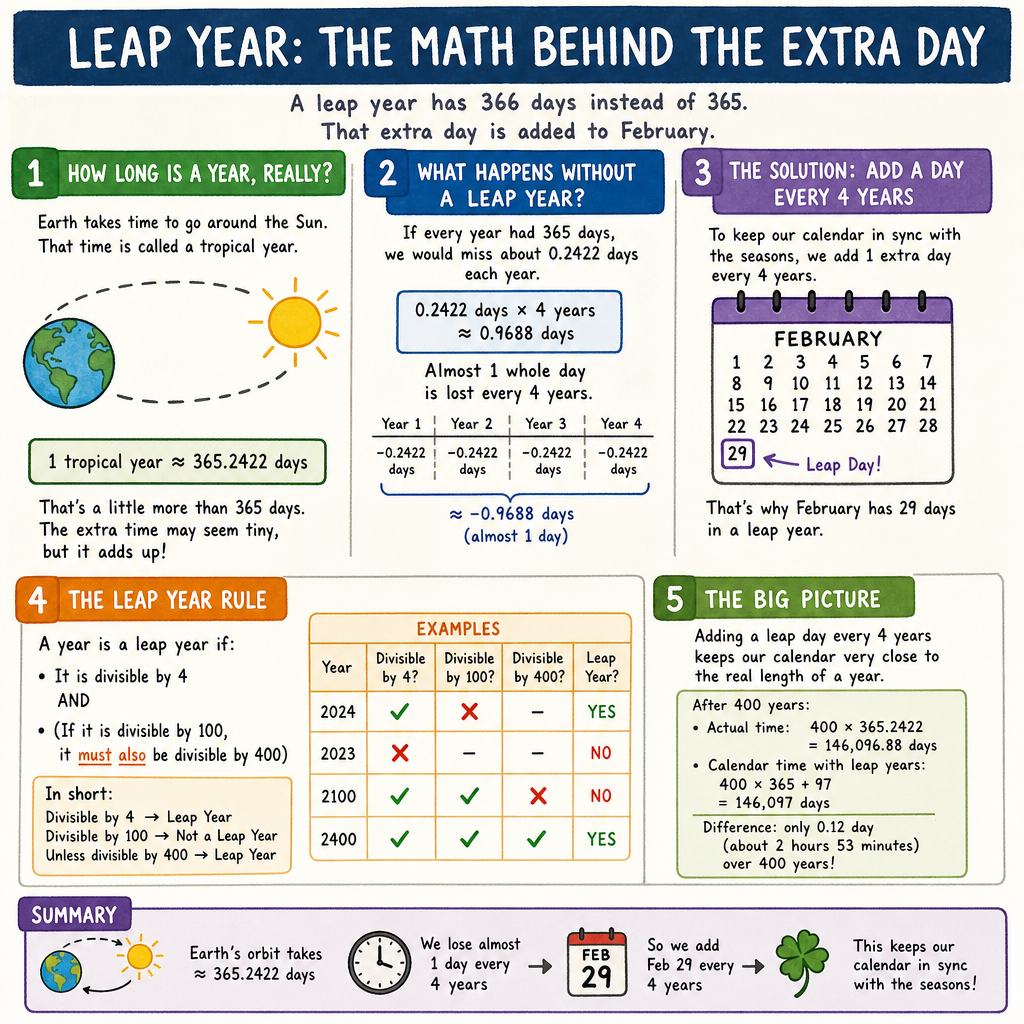
Yes. February 28 to March 1 spans two elapsed days in 2028 because February 29 lies between them. The same range spans one elapsed day in 2026.
Can this exclude Saturday, Sunday and bank holidays?
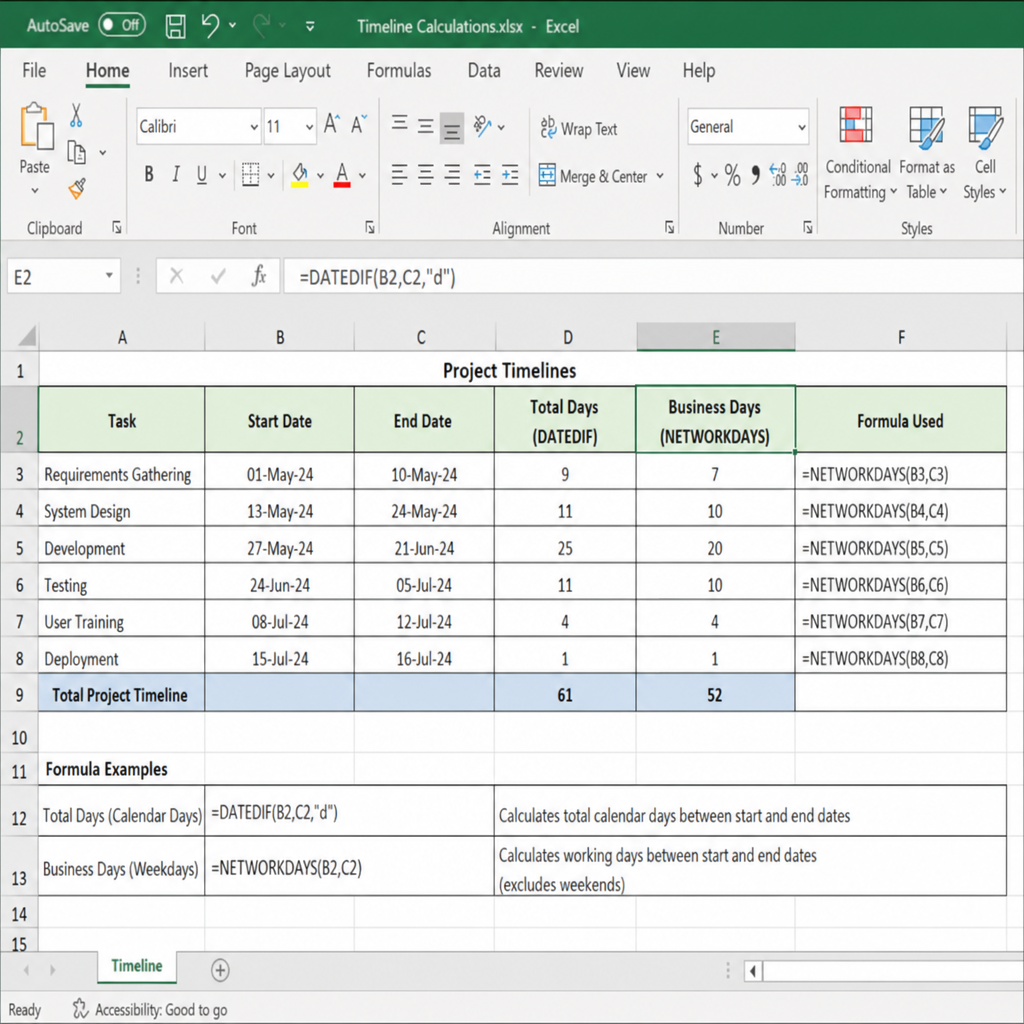
No. For a spreadsheet alternative, Microsoft’s NETWORKDAYS function excludes Saturday and Sunday and accepts a supplied holiday list. That is a separate workflow, not a feature of this calculator.
Can I plan backwards from an event?
Yes. In Add / Subtract, use the event date as the starting date and subtract the desired number of calendar days or weeks. Check planning backwards from a deadline before translating the result into a work schedule.
Can I keep a copy?
Use the page’s print option and choose your browser’s PDF destination if available. Keep the input dates and counting convention with the result so another person can reproduce it.
Method: calendar-date arithmetic with explicit endpoint inclusion and month-end clamping. Source reference checked September 10, 2026. This page does not determine a legal, medical or contractual deadline. See our editorial and correction policy.