
Recurring meeting times can shift for one participant when daylight saving changes in only one of the cities. The fix is to define which city’s local time anchors the series, then check individual dates around each transition. The Time Zone Converter checks one dated occurrence at a time; it does not create or update your calendar series.
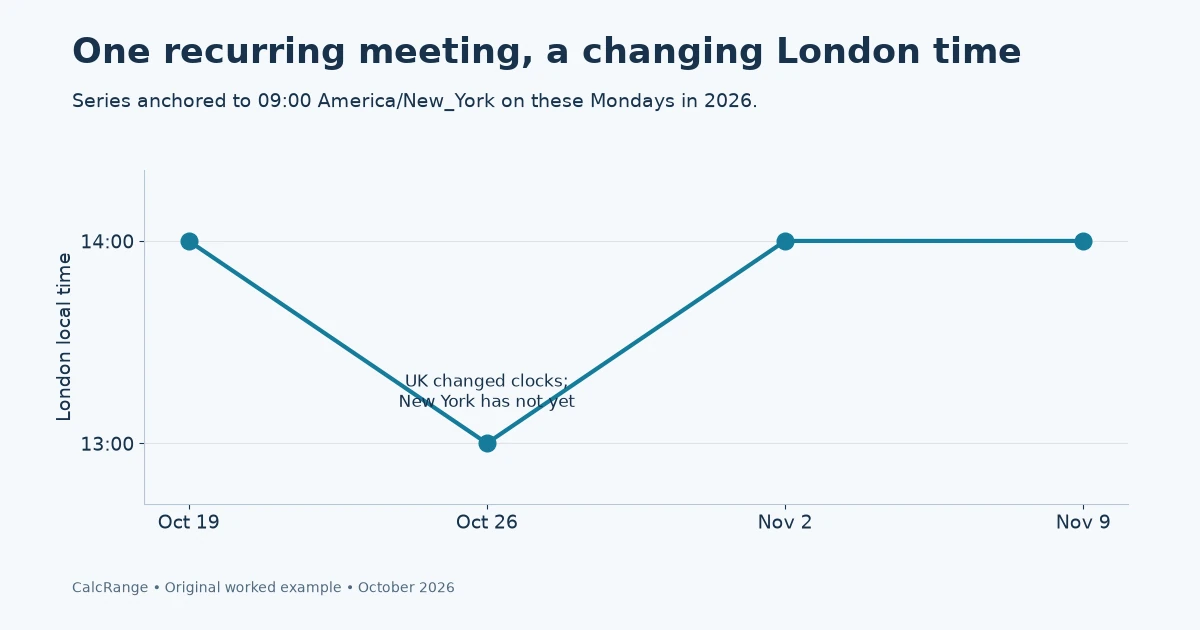
Table of Contents
Define the anchor for recurring meeting times
There are two different commitments: “09:00 New York local time every Monday” and “14:00 UTC every Monday.” They coincide on some dates and differ on others. Before converting anything, ask which commitment the organizer intends.
A city zone such as America/New_York describes changing civil-time rules. A fixed offset such as UTC−05:00 describes only an offset. IANA’s Time Zone Database records local-time rules and changes; applications still need current database information to apply them.
For a business meeting tied to local office hours, record the anchor city, weekday and local start time. For an operation tied to UTC, record that explicitly. Do not silently convert a local-time series into a UTC-fixed series just because one occurrence matched.
Recurring meeting times: four Mondays in autumn 2026
Under the published 2026 rules, the UK returns to standard time on October 25, while US daylight saving ends on November 1 where observed. London and New York therefore change on different weekends.
Take a series anchored at 09:00 in New York. The following dates show the temporary change without relying on vague labels such as “winter time.”
| Date | New York offset | UTC time | London local time |
|---|---|---|---|
| October 19, 2026 | UTC−04:00 | 13:00 | 14:00 BST |
| October 26, 2026 | UTC−04:00 | 13:00 | 13:00 GMT |
| November 2, 2026 | UTC−05:00 | 14:00 | 14:00 GMT |
| November 9, 2026 | UTC−05:00 | 14:00 | 14:00 GMT |
The London participant sees a one-week move to 13:00 and then back to 14:00. New York remains at 09:00 throughout. This is a consequence of the chosen anchor and different transition dates; it is not necessarily a calendar error.
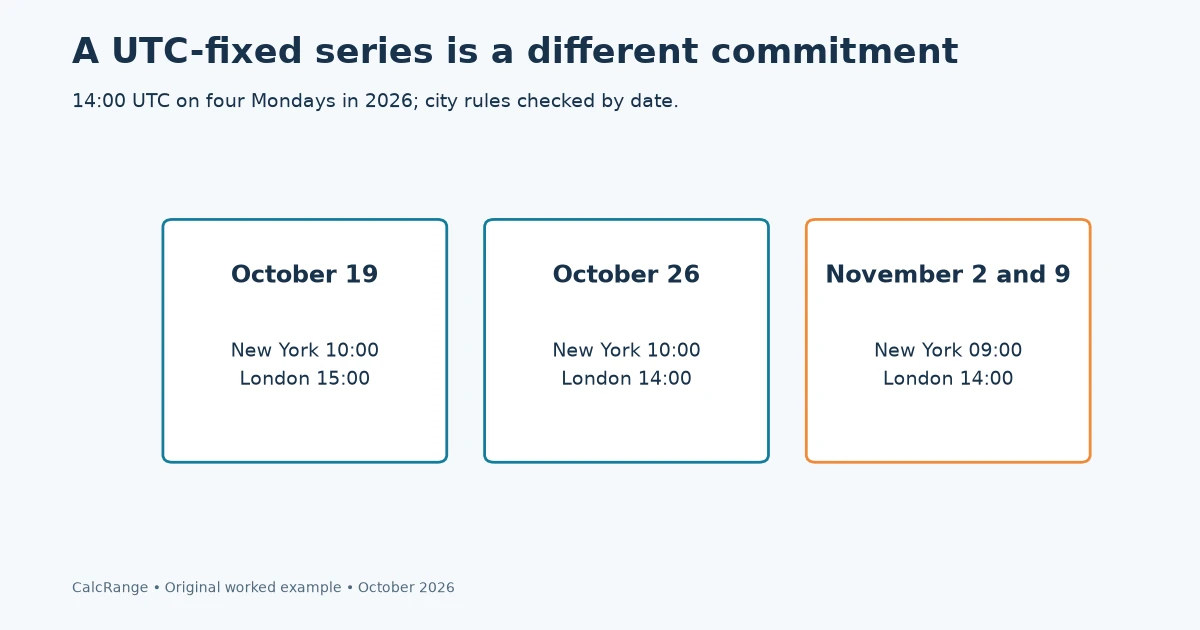
If the organizer instead anchors the series at 14:00 UTC, New York is at 10:00 on October 19 and 26, then 09:00 on November 2 and 9. London is 15:00 on October 19 and 14:00 on the other three dates. The two series have different meanings even though both can be valid.
Check the spring mismatch too
In 2026, New York’s clock change is March 8 and London’s is March 29. A 09:00 New York meeting maps to 14:00 London on March 2, 13:00 on March 9, 16 and 23, and 14:00 on March 30. The temporary interval is longer than the one-week autumn example.
These are date-specific examples, not a rule that every year has exactly the same calendar dates or every city follows New York and London. Some locations do not change clocks, and governments can change future rules. Check the actual cities and year instead of applying these rows to a different meeting.
Audit recurring meeting times in five steps
- Record the anchor. Write the organizer’s city zone or fixed UTC commitment and the intended local start time.
- Pick test occurrences. Check the last occurrence before each city changes clocks, every occurrence in a mismatch interval and the first one after both transitions.
- Convert the full date and time. Select the anchor city as From and the participant’s city as To in the converter.
- Compare with the calendar. Open each occurrence, not just the series overview, and check its displayed date and time.
- Resolve differences with the organizer. Correct the series or individual exception intentionally; do not send a second contradictory invitation.
Keep a small audit log containing occurrence date, anchor local time, destination local time, zone names and the date you checked it. A screenshot with only an hour lacks the information needed to reproduce a conversion.
For a team in more than two locations, repeat the check for each participant’s city. The world-clock cards represent the same selected instant; they are not independent recurring schedules.
Missing hours, repeated hours and date boundaries
A clock jump can create a local time that never occurs; a backward change can repeat one. The current converter flags missing times and offers the possible conversions for repeated ones. A recurring meeting scheduled inside that interval needs an explicit organizer decision rather than a guessed occurrence.
The 09:00 examples deliberately avoid the transition hour. That makes the offset comparison clear, but it does not test how a particular calendar application resolves a 02:30 recurrence or an ambiguous 01:30. For those events, ask for the intended UTC instant or offset.
Also inspect the date when working with distant cities. A Monday evening in one city can be Tuesday morning elsewhere. Do not copy a local weekday from the anchor city into everyone’s reminder text.
Our EST versus EDT guide explains the labels; the meeting-planning guide covers finding an acceptable time. This worksheet’s narrower purpose is to test a recurring series across specific clock changes.
Recurring meeting times anchored to UTC
A second table makes the anchor choice visible. Keep the meeting at 14:00 UTC on every listed Monday instead of keeping New York at 09:00. Convert each occurrence separately.
| Date in 2026 | New York | London |
|---|---|---|
| October 19 | 10:00 EDT | 15:00 BST |
| October 26 | 10:00 EDT | 14:00 GMT |
| November 2 | 09:00 EST | 14:00 GMT |
| November 9 | 09:00 EST | 14:00 GMT |
This series keeps the UTC instant-of-day constant but moves New York’s local meeting hour. The earlier series did the reverse: it preserved New York local time and allowed UTC to change. Neither table is a repair for the other; they encode different commitments.
Write the anchor in the invitation notes using a city zone or UTC, not an ambiguous phrase such as “always at 2.” If participants see a different time after a clock change, compare the series definition before changing everyone’s invitations.
A useful acceptance check is to open the first occurrence after each transition in the actual calendar application. A standalone conversion verifies the time relationship; it does not establish how that application stored the recurrence rule.
Add a city that does not share either transition
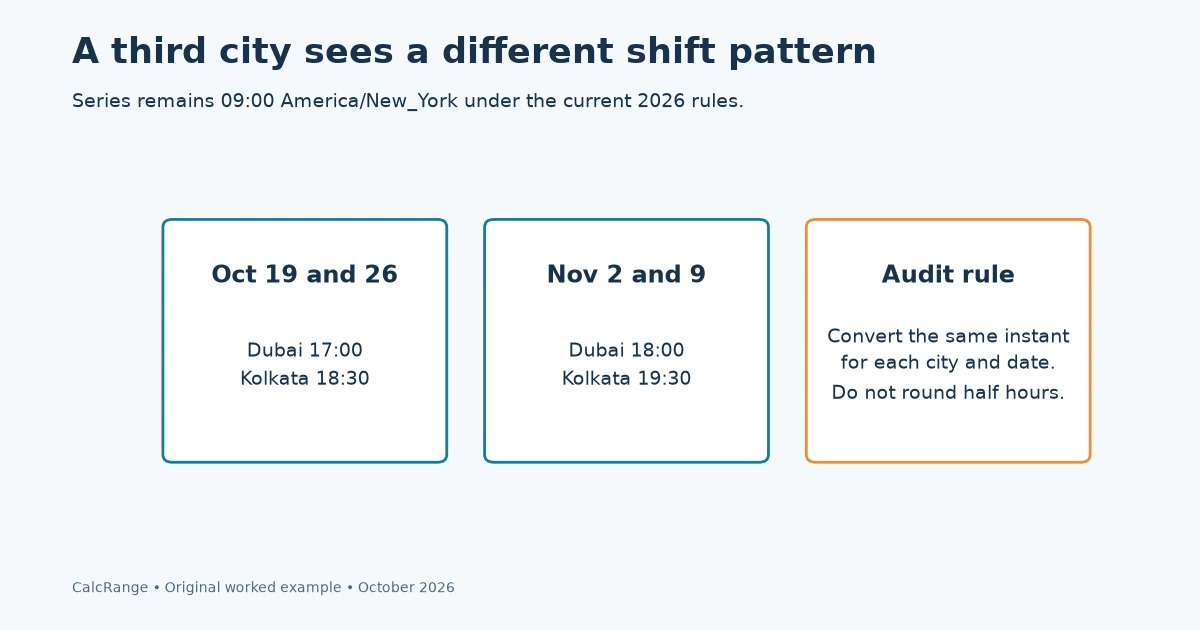
For the New York-anchored 09:00 series, a Dubai participant sees 17:00 on October 19 and 26, then 18:00 on November 2 and 9 under the current city-zone rules. London’s temporary one-week movement is therefore not the pattern every other participant sees.
This gives a useful audit matrix: dates down the first column, one city per remaining column, and the anchor identified in the caption. Fill every cell from the same instant, not from independent guesses about each city’s “normal” difference.
For an Asia/Kolkata participant, those same dates are 18:30, 18:30, 19:30 and 19:30. The half-hour offset is a reminder that time-zone differences are not always whole hours. Do not round a meeting conversion to a convenient hour.
The converter’s world-clock display can help inspect one selected occurrence across cities. Save the date with the result. A row without a date may be correct for October 19 and wrong for November 2 even when the city names are unchanged.
Troubleshoot a disagreement without editing the evidence
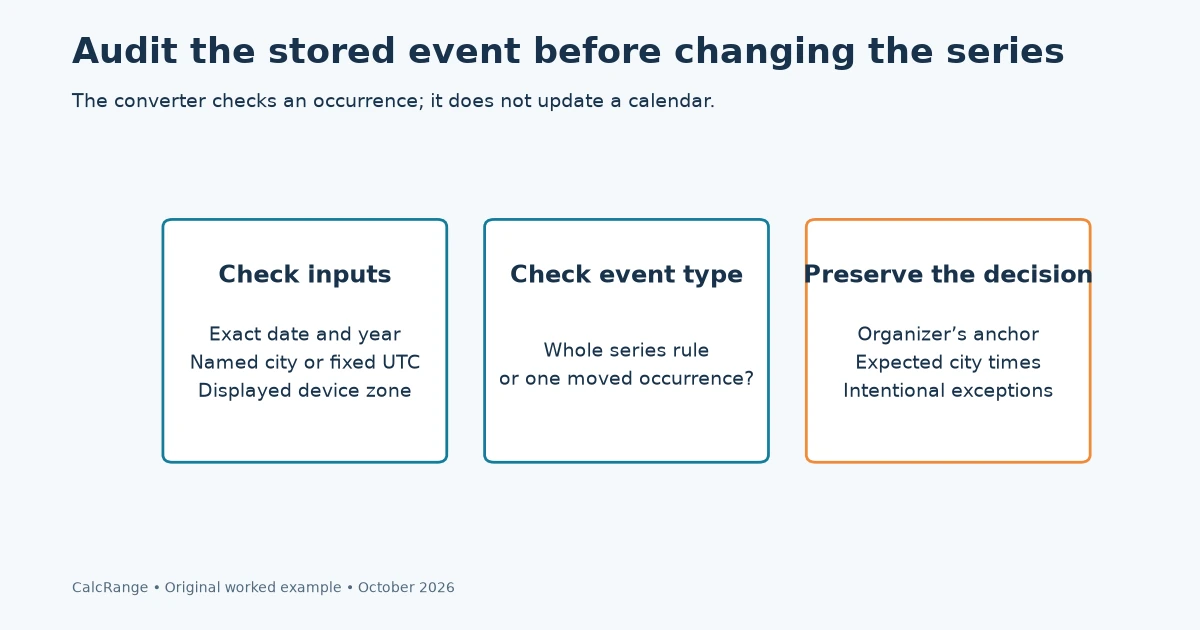
If the converter and calendar disagree, first check the exact date, including the year. Then check whether the event uses a named city zone or a fixed abbreviation/offset. Confirm that the device or calendar is displaying the intended local zone.
Next, distinguish a series rule from an exception. One occurrence may have been moved manually while the rest of the series retains the original pattern. Editing the entire series to match that exception can create new errors.
Keep a record of the original event time and the expected converted time before making a change. Ask the organizer which local-time commitment should be preserved. The calculation cannot decide whose working hours take priority.
A repeated-hour event needs more than a date and local clock time. Record the chosen offset or UTC instant so the two possible occurrences are distinguishable. A missing-hour event requires a new valid scheduled time; silently shifting it by an hour changes the meeting.
For long-running series, revisit future occurrences when a jurisdiction changes its rules or participants move. This is a practical audit habit, not a claim that the website monitors calendar updates or sends automatic alerts.
A complete check ends with a short note: anchor, occurrence date, participant zones, expected local times and any intentional exception. That note makes recurring meeting times reproducible without relying on someone remembering which week the offset changed.
Recurring meeting times: common questions
Will the converter update my recurring calendar event?
No. It converts a selected date and time. Review and change the calendar series in the application where the event is stored.
Should I write EST for every New York meeting?
Use the city and date or an appropriate location-aware calendar zone. EST and EDT are different offsets; a fixed EST label can misdescribe a daylight-time occurrence.
Why did only one participant’s meeting time move?
The series may be anchored to another city whose offset changed, or the participant’s city may have changed on a different date. Compare the exact occurrence and both zones before deciding it is an error.
Sources and calculation notes
Worked occurrences use America/New_York and Europe/London and were independently checked with date-aware zone data. Rules can change; this is not a guarantee of a calendar provider’s recurrence behavior. Sources checked October 30, 2026.