
A gestation calculator cannot provide pregnancy confirmation. It adds an assumed interval to a date supplied by the user. The same entered date produces a result whether conception occurred or not, because the calculation contains no examination or diagnostic evidence.
The practical fix is to keep three labels in every record: breeding event, calendar estimate and veterinary finding. This guide provides a handover worksheet for cattle, goats, horses and dogs without pretending that those species share the same diagnostic procedures.
The Animal Breeding Calculator can help organize dates for its supported animals. Use it for planning arithmetic after identifying the starting event, then keep pregnancy status in a separate field supported by the veterinary record.
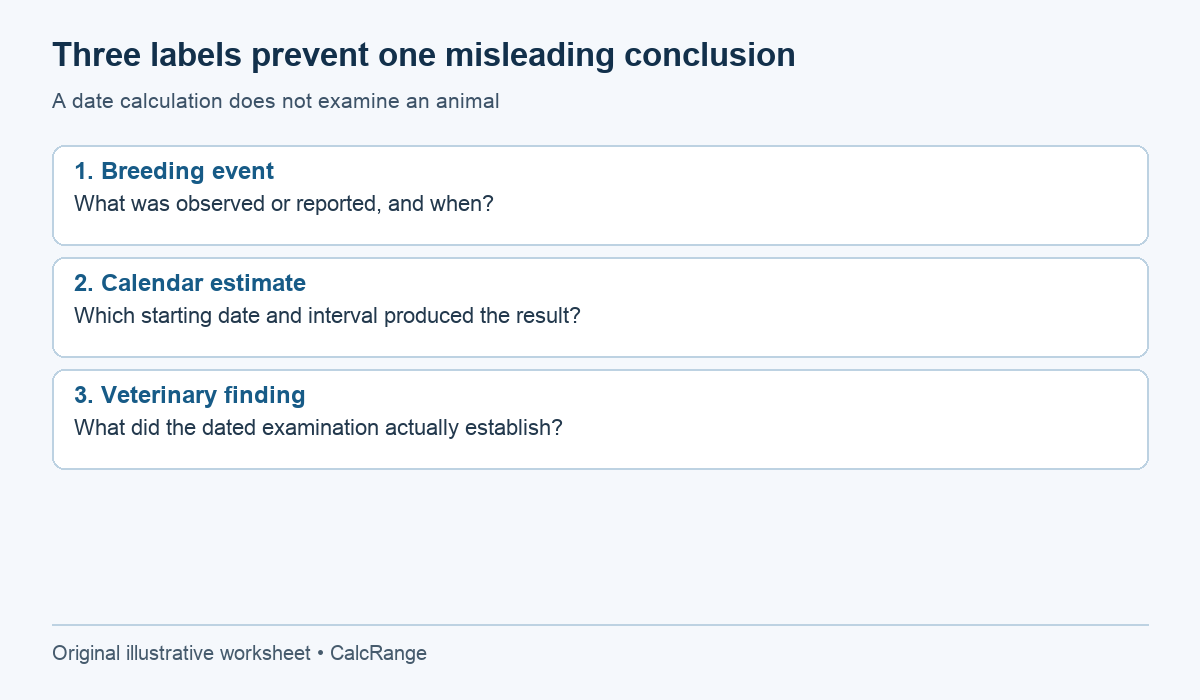
Table of Contents
Use three evidence labels beside a gestation calculator
| Label | Example | What it establishes |
|---|---|---|
| Breeding event | Observed mating on a recorded date | What was observed or reported |
| Calendar estimate | Recorded date plus a selected interval | A date calculation under stated assumptions |
| Veterinary finding | Dated examination report | The clinician’s findings and interpretation at that examination |
These records can coexist. A later examination does not erase a mating date, and a calculated due date does not turn a mating into proven conception. A concise status such as “confirmation not recorded” is more informative than leaving a blank that another person might interpret as a positive result.
Use “not recorded” carefully: it means the record lacks evidence, not that the animal is definitely not pregnant. Likewise, “examination planned” describes an appointment, not an outcome. This language avoids claims that the available information cannot support.
Work through a gestation calculator record from entry to review
Suppose a doe identified as G17 has an observed mating entered on September 1, 2026. The owner selects a 150-day planning assumption, producing January 29, 2027. At that moment, the sheet contains a breeding observation and an arithmetic result, but no veterinary confirmation entry.
The calculation is reproducible: September 1 + 150 elapsed days = January 29. It does not measure implantation, fetal development or the animal’s condition. The number becomes useful when it helps arrange a veterinary discussion and practical preparation, not when it is mistaken for a test.
| Field | Entry |
|---|---|
| Breeding evidence | Observed mating, September 1, 2026 |
| Calculation assumption | 150 elapsed days, selected for this planning example |
| Central calendar estimate | January 29, 2027 |
| Pregnancy confirmation | No veterinary finding recorded yet |
| Next administrative action | Contact the herd veterinary team about the appropriate assessment plan |
If a veterinary report is later received, append its date, method and interpretation as reported. Do not fill in a positive outcome in advance to complete the table. If the report remains uncertain, preserve that uncertainty and the recommended next step.
A gestation calculator progress bar advances without new evidence
A gestation progress display usually compares elapsed time with the assumed interval. For example, 75 days out of an assumed 150 is 50%. That percentage describes a fraction of the chosen calendar interval. It does not demonstrate that an animal has reached a verified halfway stage of a continuing pregnancy.
This is why a screenshot can become misleading during a handover. Someone may see “50%” or a countdown and infer that the application has monitored the animal. It has not. Add the event type and confirmation status beside any saved result.
Similarly, passing a central estimated date does not automatically establish a clinical problem, and being before it does not establish that everything is normal. The animal’s condition and veterinary findings need their own assessment. A concerning observation should not be postponed because an app still displays days remaining.
Assessment methods are species-specific, beyond a gestation calculator
Merck Veterinary Manual’s canine guidance describes clinical methods such as ultrasound and notes that timing affects interpretation. It does not supply a single test schedule that can be copied to cattle, goats and mares. Ask the veterinarian what method and timing apply to the actual species and animal.
For cattle, Wisconsin Extension’s planning calculator explicitly depends on accurate breeding information. A known AI date and a bull-exposure interval are different inputs. The calculator cannot discover which service, if any, resulted in pregnancy.
The dog tool has several date-basis choices. Only choose a veterinary-timed event such as confirmed ovulation when the record supports it. The broader mixed-species tool also needs the animal selection checked before transferring a saved date into a care plan.
Use the specialist dog calculator or the appropriate species tool for its stated date assumptions. Specialist inputs improve the description of a calculation; they still do not replace a clinical finding.
Build a record that survives a change of carer
A useful handover identifies the animal, the person who recorded the event, the source of each date and the current contact plan. Store examination reports where the covering person can find them. A calendar event called only “due” omits too much context.
- Animal ID and species.
- Observed or reported breeding events, with every relevant date.
- Exposure start and end when a single service is unknown.
- Calculator assumption, output and date the calculation was made.
- Veterinary findings as reported, including uncertainty and follow-up.
- Current preparation responsibilities and veterinary contact details.
Keep free-text observations separate from diagnoses. An owner can record what they saw and when they called the clinic without assigning a medical explanation. This improves the usefulness of the record while staying within what was actually observed.
Three gestation calculator record controls that prevent false certainty
Control 1: make the evidence state visible in every exported reminder
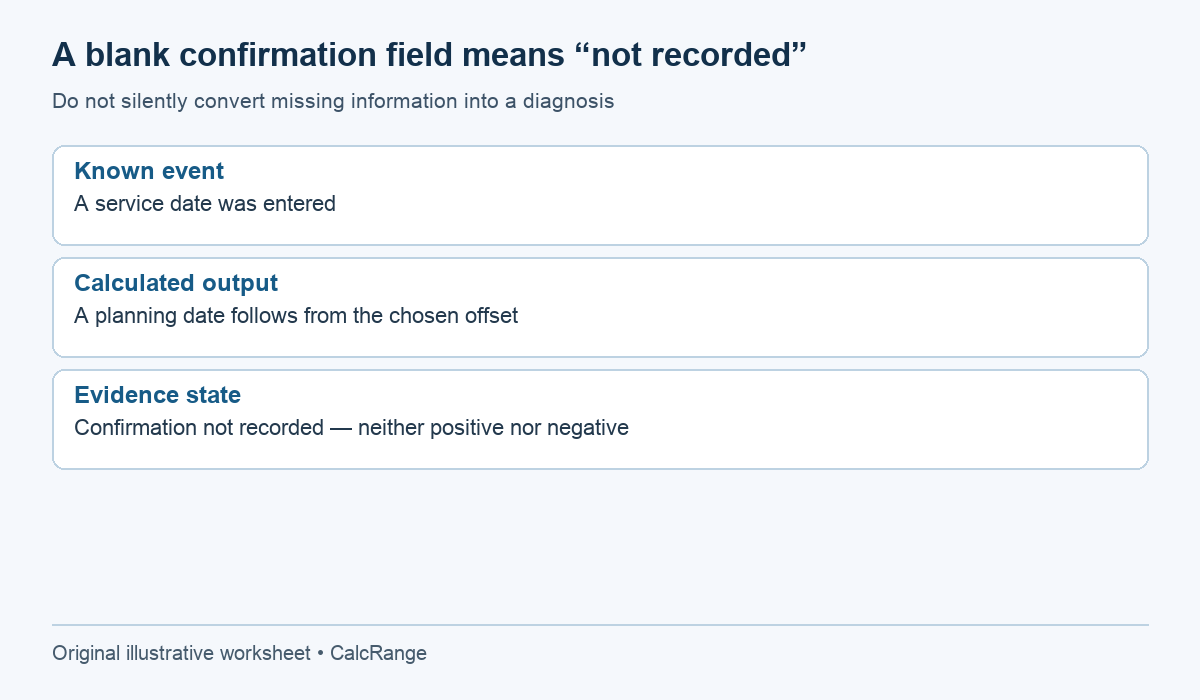
Suppose a breeding record has an observed service date and a calculated planning date, but no pregnancy examination has been entered. An exported calendar event should say “planning estimate from recorded service; confirmation not recorded.” A plain label such as “confirmed due date” would add a claim that the source record does not contain.
The absence of a confirmation entry is not proof of a negative finding either. It may mean no examination was performed, the result has not been entered or the record is incomplete. Keep an explicit “not recorded” state until the actual evidence is available. Do not let a blank field silently become yes or no.
If a report is later added, attach its date, source and relevant wording. The calculator can continue to display the original arithmetic while the record separately shows the new evidence. This separation makes the history understandable without pretending that an earlier estimate was itself a diagnosis.
Control 2: check identity before checking the date arithmetic
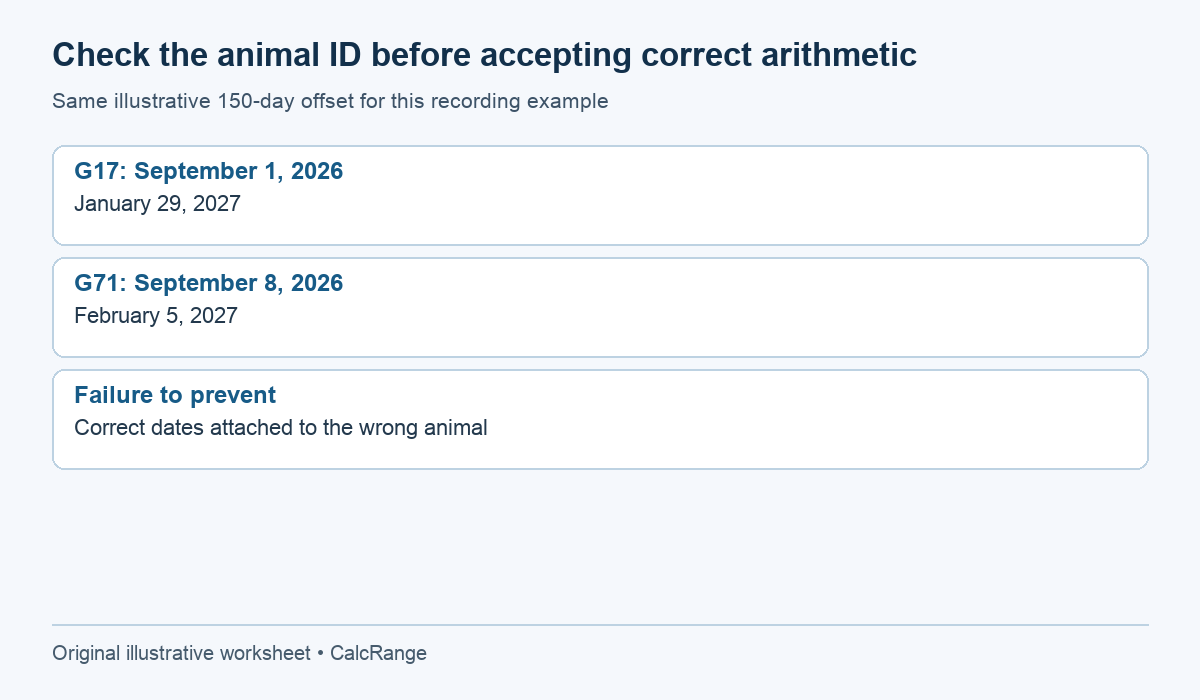
Imagine that animal G17 has a September 1 service record and animal G71 has a September 8 record. Under the same illustrative 150-day offset, the dates are January 29 and February 5, 2027. Both calculations can be mathematically correct while the reminder is wrong if the animal identifiers are swapped.
Read the identifier on the original record, calculation sheet and exported event. Include the species in a shared list so that a model selected for one species is not reused accidentally for another. A familiar animal name is helpful, but it should not replace the identifier used in the herd or veterinary records.
The seven-day gap in this example comes from the seven-day input difference. It does not demonstrate a normal range for a species, and the 150-day assumption is not a universal pregnancy duration. Use an appropriate model and professional guidance for the actual animal rather than transferring an example simply because its arithmetic is easy to reproduce.
Control 3: preserve the old calculation when an input changes
For a gestation calculator, a revised service date, a corrected animal ID and a changed model assumption are three different reasons for a result to change. Record which one occurred. Otherwise, a colleague comparing two screenshots cannot tell whether the underlying evidence improved or a setting was merely edited.
A simple revision log can hold the previous input, revised input, reason, source and date of change. Keep the current result prominent and mark the earlier result as superseded. There is no need to make every version look equally current, but deleting the trail makes later reconciliation harder.
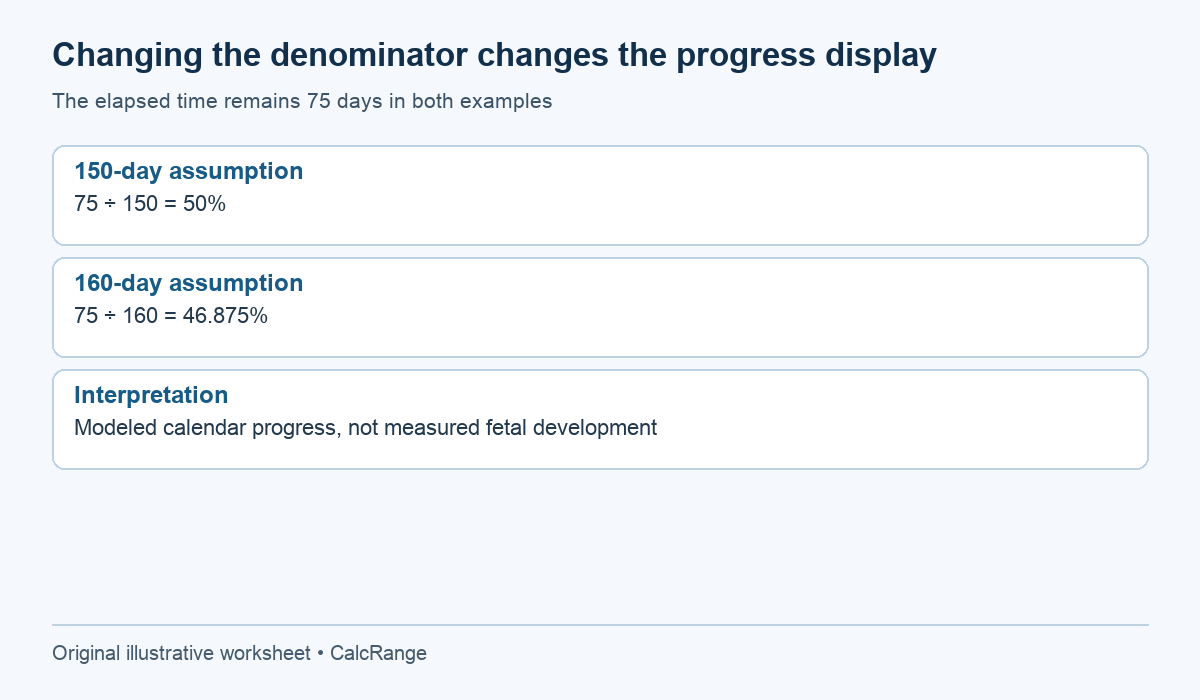
For a calendar progress display, a model with 150 assumed days shows 50% at 75 elapsed days. Changing the assumption to 160 days would show 46.875% at the same elapsed point. The animal has not changed because a denominator changed. This example demonstrates why modeled percentages should remain labeled as calendar progress, not observed fetal development.
Before sharing the gestation calculator sheet, ask whether each claim has the evidence it needs. A recorded mating supports a statement about that event. Date addition supports the calculated estimate. A veterinary finding supports only the assessment actually reported. Keeping those boundaries visible is more useful than adding extra decimal places to a date-based progress bar.
Update the gestation calculator plan without rewriting the evidence
If a date was entered incorrectly, make a correction with a note. If a veterinarian revises the expected period, add a new estimate with its source. Those are different changes, and a short version history preserves the distinction.
After birth, record the actual date rather than changing the old estimate to match it. Comparing the two can help review data quality later, but one outcome does not prove that the same interval will apply to every future pregnancy.
Our animal gestation record guide covers the date-reference chart. Use this three-label worksheet alongside it whenever a result is shared, so a planning calculation remains clearly separate from confirmation and care of the individual animal.