
MB vs MiB is a difference in unit size: 1 MB is 1,000,000 bytes, while 1 MiB is 1,048,576 bytes. GB and GiB follow the same decimal-versus-binary distinction. To compare two capacity figures, convert both to bytes before deciding that one is smaller. The Unit Converter lists decimal and binary storage units separately; this guide shows how to check the result and record exactly what the original label meant.
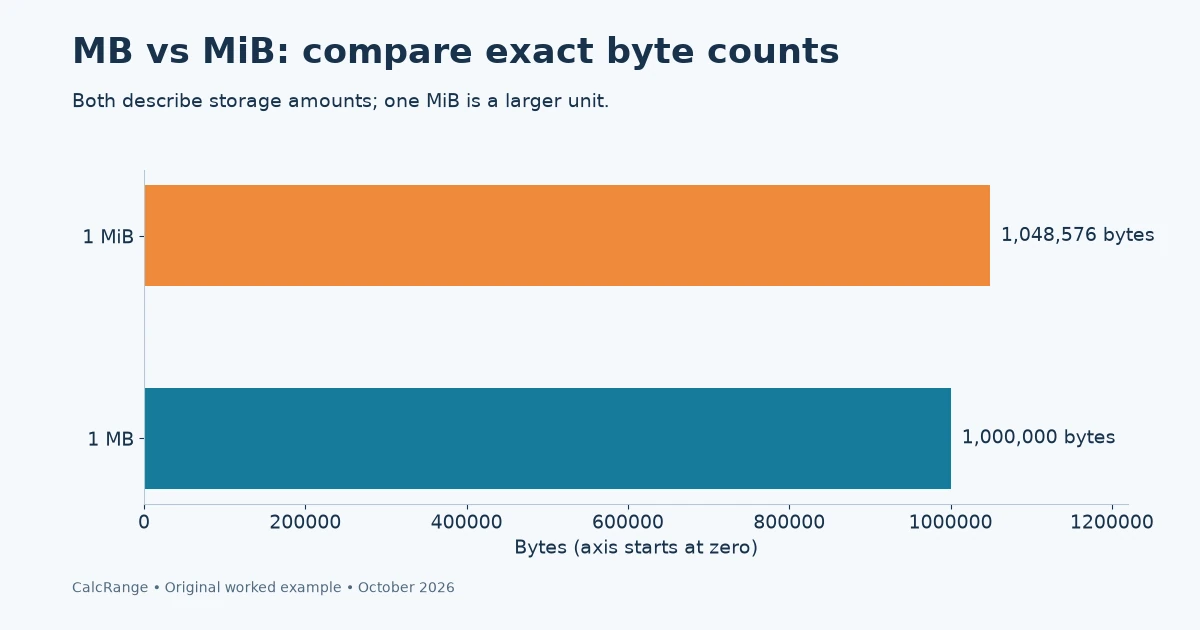
Table of Contents
MB vs MiB: start with exact byte counts
The NIST binary-prefix reference distinguishes powers of 1,000 from powers of 1,024. The extra “i” is meaningful. A mebibyte is not an alternative spelling for a megabyte, and one gibibyte contains more bytes than one gigabyte.
| Unit | Bytes in one unit | Basis |
|---|---|---|
| kB | 1,000 | 10³ |
| KiB | 1,024 | 2¹⁰ |
| MB | 1,000,000 | 10⁶ |
| MiB | 1,048,576 | 2²⁰ |
| GB | 1,000,000,000 | 10⁹ |
| GiB | 1,073,741,824 | 2³⁰ |
| TB | 1,000,000,000,000 | 10¹² |
| TiB | 1,099,511,627,776 | 2⁴⁰ |
Keep capitalization when copying a value. Uppercase B means bytes; lowercase b usually means bits. One byte contains eight bits. A unit such as MB/s also includes time and describes a rate, whereas MB alone describes an amount.
MB vs MiB conversion: use bytes, then round once
Use this two-step calculation: source value × bytes per source unit ÷ bytes per destination unit. For 500 MB in MiB, multiply 500 by 1,000,000 and divide by 1,048,576. The result is 476.837158203125 MiB, or about 476.84 MiB.
For the reverse conversion, 500 MiB contains 524,288,000 bytes, which is 524.288 MB. The direction matters: a smaller unit produces a larger count for the same amount. Do not use the same approximate multiplier in both directions.
| Source | Bytes | Destination |
|---|---|---|
| 500 MB | 500,000,000 | 476.837158203125 MiB |
| 500 MiB | 524,288,000 | 524.288 MB |
| 8 GiB | 8,589,934,592 | 8.589934592 GB |
Preserve the byte total or full calculation in your notes, then round the display. If a report rounds every file first and sums those rounded numbers, its total may differ slightly from converting the combined byte count once.
What does a 1 TB capacity look like in GiB?
Suppose a device label explicitly means 1 TB = 1,000,000,000,000 bytes. Expressing that same quantity in GiB gives:
1,000,000,000,000 ÷ 1,073,741,824 = 931.3225746154785 GiB
About 931.32 GiB and 1 TB can therefore describe the same raw byte quantity. The unit conversion has not removed any bytes. It also does not prove that every difference shown by an operating system is a labeling issue.
Capacity, free space, allocated space and a file’s logical size are different measurements. A partition layout, filesystem structures or existing files can affect what a particular screen reports. Compare like with like and check the device and software documentation before attributing the entire gap to prefixes.
For example, do not compare a manufacturer’s total device capacity with a screen labeled “available” after files have been copied. First record the total and available fields separately, including the unit displayed beside each.
MB vs MiB worksheet: record four comparison fields
Before converting, record the value, its exact label, what is being measured, and the evidence for the label’s definition. This prevents an ambiguous “GB” screenshot from becoming a false precision claim.
| Field | Example A | Example B |
|---|---|---|
| Displayed value | 1 TB | 931.32 GiB |
| Measurement | Stated raw capacity | Same raw capacity, converted |
| Definition | 10¹² bytes per TB | 2³⁰ bytes per GiB |
| Comparable? | Yes, under these stated assumptions | Yes, allowing display rounding |
If the documentation says a program labels binary multiples “GB,” note that display convention explicitly. Do not silently change the source label in your records. A defensible comparison can say “displayed as GB; documented as 2³⁰ bytes” and then perform the conversion on that basis.
In the Unit Converter, choose Digital storage, enter the source amount, and select the exact source and destination units. The tool converts units; it does not inspect your drive or determine which convention an application uses.
Keep capacity separate from download speed
A theoretical 100 Mbit/s is 100,000,000 bits per second, or 12,500,000 bytes per second: 12.5 MB/s. That is arithmetic on the stated rate, not a promise of an actual download speed. Protocol overhead, the server and the connection can affect transfer time.
The Unit Converter’s storage category does not measure a network connection. For a transfer estimate you must keep the time denominator and use consistent bit/byte definitions. Mixing 100 Mbit/s with a file size in MiB without converting both is a common eightfold-plus-prefix error.
The same category-first habit matters outside computing. Our fluid ounces versus ounces guide explains why similar labels can describe different quantities; the unit conversion guide shows how units cancel in a calculation.
Add differently labelled amounts before comparing a limit
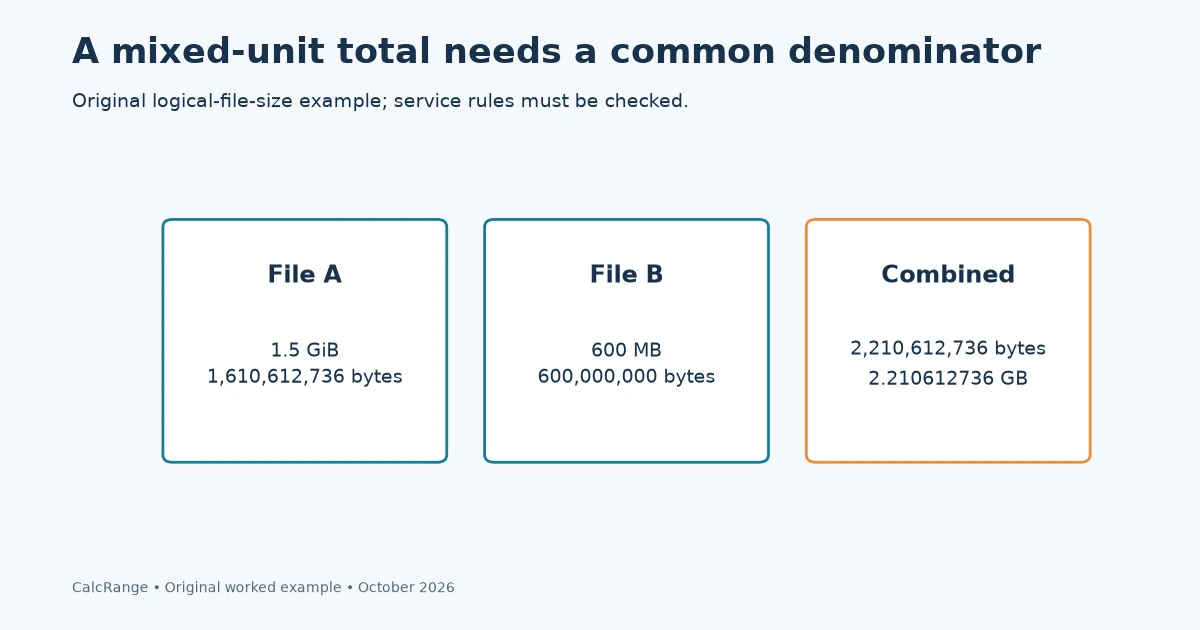
Suppose an export contains one file listed as 1.5 GiB and another as 600 MB. You cannot add 1.5 and 600 directly, and converting the first number to “1,500 MB” would use the wrong prefix relationship.
The first file represents 1.5 × 1,073,741,824 = 1,610,612,736 bytes. The second represents 600 × 1,000,000 = 600,000,000 bytes. Their combined logical size is 2,210,612,736 bytes.
| Item | Stated size | Bytes |
|---|---|---|
| File A | 1.5 GiB | 1,610,612,736 |
| File B | 600 MB | 600,000,000 |
| Combined | 2.210612736 GB | 2,210,612,736 |
A service with an explicitly decimal 2.2 GB limit permits 2,200,000,000 bytes. Under a simple total-file-size rule, this example exceeds that limit by 10,612,736 bytes. A service using a per-file limit instead would ask a different question: each individual file would need to be checked separately.
Before deleting or recompressing anything, read what the limit counts. This arithmetic assumes the two listed logical file sizes are the complete counted amount. An archive’s compressed size, uploaded package or account storage total may follow different rules. The converter cannot infer those rules from the label alone.
MB vs MiB round-trip check: preserve rounding evidence
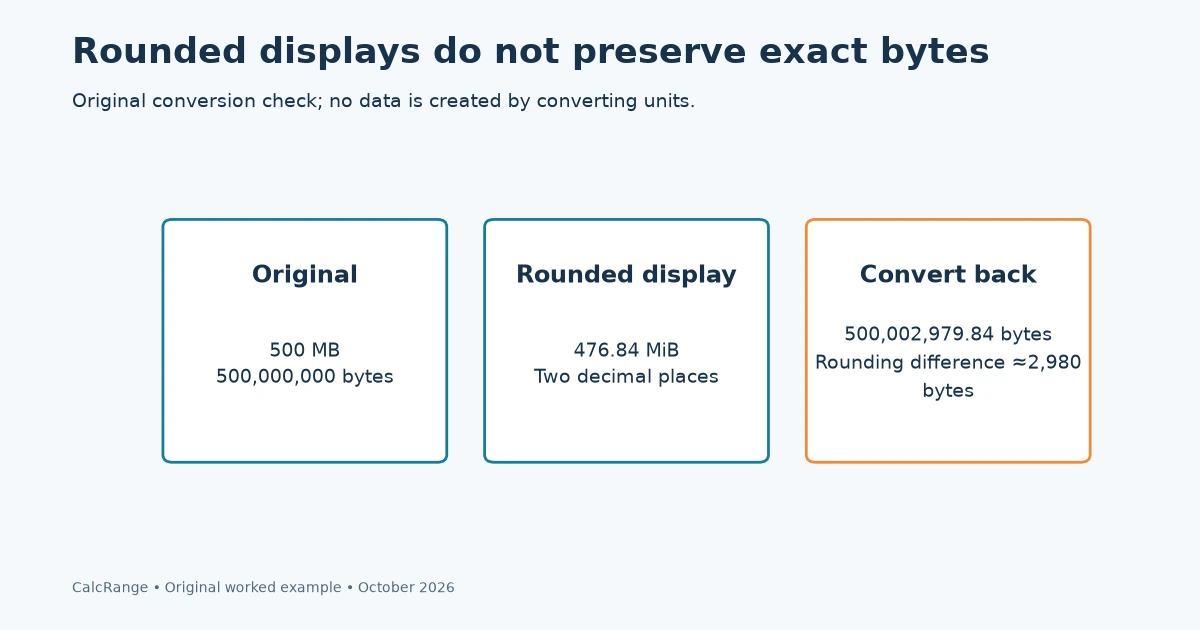
A useful audit starts with bytes, converts to a display unit and then converts back. If full precision is retained, the round trip returns the same byte total. If only a rounded display is available, a small difference is expected.
For example, 500 MB equals about 476.84 MiB when shown to two decimals. Converting that rounded value back gives 476.84 × 1,048,576 = 500,002,979.84 bytes, about 2,980 bytes above the original 500,000,000. That discrepancy comes from rounding, not from data being created.
A fractional byte result here is another sign that the input was a rounded display quantity. It is not a claim that a file has part of a byte. Use the original integer byte count when enforcing an exact limit or validating a checksum-related record.
For MB vs MiB comparisons, keep a distinction between the calculation value and the presentation value. A spreadsheet can store the full converted number while formatting only two decimals. Copying the formatted text into a second system discards that precision.
Resolve an ambiguous label with a short evidence trail
If an app shows “GB” without documenting its convention, do not decide what it means solely because one interpretation seems closer to the number you expected. Look for a bytes field, an export specification or the application’s own unit documentation.
Record the exact screen label, the value, the app version and the definition you found. If no definition is available, write “GB label; decimal/binary convention unconfirmed.” You can show both possible conversions as alternatives, but do not quietly select one and call it exact.
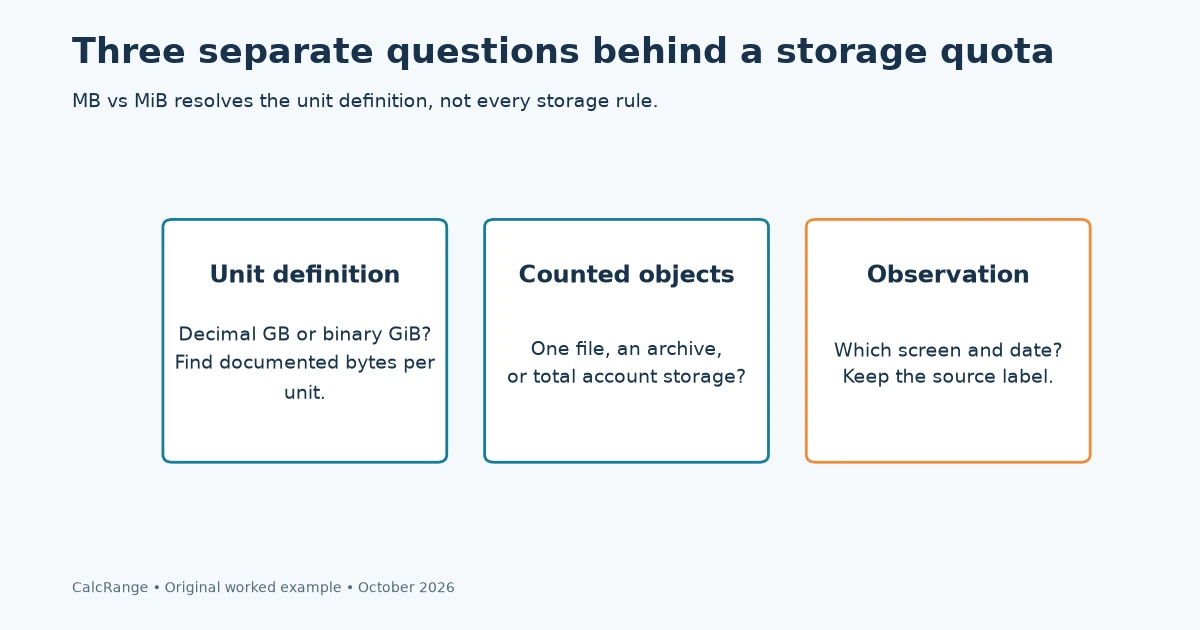
The same approach helps with a server quota. Separate three questions: what unit the limit uses, what objects the quota counts, and when the server updates its reported total. MB vs MiB resolves only the first question.
A practical handoff might read: “The service defines GB as one billion bytes; the two source files total 2,210,612,736 bytes; the stated total-upload limit is 2,200,000,000 bytes.” This is more useful than saying the files are “about 2 GB,” because another person can reproduce the comparison and see its assumptions.
MB vs MiB: common questions
Is 1 GB equal to 1,024 MB?
With decimal definitions, 1 GB equals 1,000 MB. In binary units, 1 GiB equals 1,024 MiB. Check whether an application uses an older or ambiguous display label before interpreting its number.
Why is the MiB number smaller than the MB number?
A MiB is a larger unit than an MB. Dividing the same byte total into larger units produces a smaller count; the underlying amount has not changed.
Can this conversion tell me whether a drive is faulty?
No. It only reconciles stated units. Device health, partitions, free space and filesystem behavior require different checks.
Sources and calculation notes
Conversion examples are original arithmetic using the stated exact unit definitions. Device and transfer scenarios are illustrative, not measurements of a named product. Sources checked October 30, 2026.